
Task Management + CRM in One Tool: Why Indian SMBs Are Ditching Point Solutions
Walk into most 10–30 person Indian companies and you'll find the same stack: a task tool for internal work (or, more often, a WhatsApp group standing in for one), a separate CRM or spreadsheet for sales leads, and a manager manually reconciling the two every evening to figure out what actually got done.
That seam — the gap between "what the team is working on" and "what's happening with customers" — is where things get lost. A lead needs a proposal drafted, so it becomes a task in a different tool with a different owner field, and nobody links the two back together. This post is about why closing that gap with one connected tool, rather than two separate best-of-breed tools, is usually the better call for SMBs specifically.
The Point-Solution Trap
The conventional SaaS-buying wisdom is "best tool for each job" — a dedicated task manager, a dedicated CRM, connected by integrations or manual habit. That logic holds for larger companies with a RevOps function and an IT team maintaining the integrations. For a 15-person business, it usually means:
- Two logins, two mental models. Reps and ops staff context-switch between tools that don't share a user list, a permission model, or a notion of "who owns what."
- No shared accountability view. A manager can't see, in one place, that a rep is behind on both their task list and their lead follow-ups — because those live in different systems with different owners of the data.
- Integration as a tax, not a feature. Zapier/native integrations between a task tool and a CRM cost money, break silently, and require someone to maintain them — usually nobody has that job at a 15-person company.
- Data reconciliation by hand. "Did we follow up with that lead" becomes a Slack/WhatsApp question instead of a system fact, because the CRM and the task tool don't agree on what "done" means.
What Changes When Tasks and CRM Share a Data Model
When task management and sales CRM live in the same product — same users, same permission model, same notion of ownership and due dates — a few things become structurally simpler, not just "nicer to have":
One accountability model. A single-owner task model applies whether the task is "finish the client deliverable" or "send the proposal to lead #482." There's no translation layer between "who owns this in the task tool" and "who owns this in the CRM."
Cross-functional work stops falling through a seam. A sales rep closes a deal; the onboarding task for that customer can be created against the same team, the same permission structure, without exporting a deal record and importing it into a separate task list.
One place managers actually check. Instead of opening a task dashboard and then a separate CRM dashboard, a manager gets one daily view: what's overdue on the task side, and what's overdue on the follow-up side. The Daily Sales Report and the task Pulse view sit next to each other, not in different apps with different login sessions.
Lower total cost and admin overhead. Two subscriptions, two admin panels, two permission systems to keep in sync — all replaced with one. For a 15-person team, that's not a minor convenience; it's the difference between "our ops manager spends an hour a week reconciling tools" and "it's just one system."
Where Point Solutions Still Win
To be fair to the other side of the argument: if you need genuinely deep, specialised functionality in either category — enterprise-grade Gantt planning on the task side, or AI-driven lead scoring and complex multi-stage automation on the CRM side — a combined tool will generally be shallower in each individual category than a category leader. Asana's automation depth beats a combined tool's task automation. Freshsales' AI scoring beats a combined tool's basic follow-up logic.
The trade-off is specialisation depth versus one connected system. For most SMBs — where the real cost isn't "we lack an advanced feature," but "our task tool and our CRM don't talk to each other and nobody owns fixing that" — the connected system usually wins.
Who Should Combine, and Who Shouldn't
Combine tools if:
- Your team is under ~50 people without a dedicated RevOps or IT function to maintain integrations
- The same people (or closely overlapping teams) handle both internal work and customer-facing sales/follow-up
- You've noticed information getting lost specifically at the handoff between "sales closed it" and "ops needs to deliver it"
- You want one login, one permission model, and one place to check daily status
Keep tools separate if:
- You have a dedicated admin/RevOps function maintaining integrations between best-of-breed tools
- Your sales motion needs deep AI scoring, complex multi-branch automation, or enterprise-grade planning tools that a combined product won't match
- Your task management and sales functions are run by entirely separate teams with no operational overlap
How TasqMan Approaches This
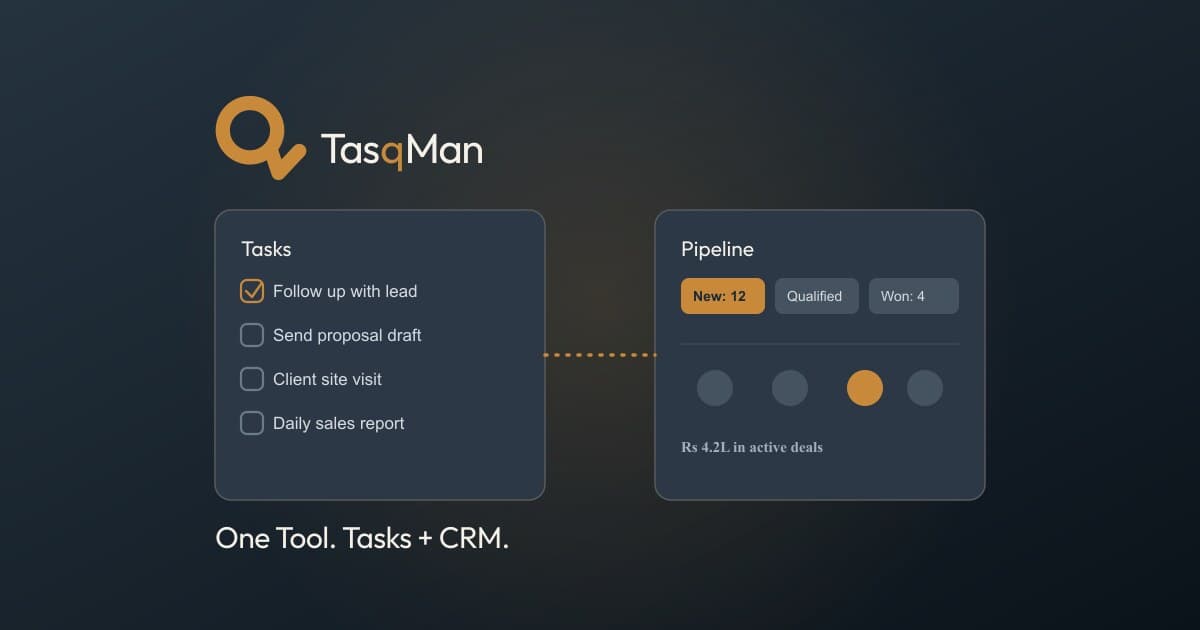
TasqMan is built as task management and sales CRM sharing one team, one login, and one accountability model — not a task tool with a CRM bolted on, or a CRM with a task list feature. A lead moving to "Won" and the onboarding task that follows sit in the same system, under the same permission structure, checked from the same daily dashboard.
It's deliberately not trying to out-configure Asana on task automation or out-score Freshsales on AI lead prioritisation. It's solving the specific SMB problem: tasks and customer follow-ups shouldn't live in two systems that don't know about each other.
Frequently Asked Questions
Isn't it better to use the best tool for each job separately?
For larger companies with dedicated RevOps/IT to maintain integrations, often yes. For SMBs without that function, the integration and reconciliation overhead usually costs more in practice than the depth gained from separate best-of-breed tools.
Can TasqMan's task management and Sales CRM be used independently?
Yes — teams can use either module on its own, or both together under one login.
Does combining tools mean losing advanced CRM or task features?
Some depth trade-off is real — TasqMan doesn't match dedicated tools on things like AI lead scoring or enterprise Gantt planning. The trade is specialisation depth for a single connected system.
How is this different from using Zapier to connect a task tool and a CRM?
Zapier-style integrations connect two systems that still have separate user lists, permissions, and data models — they sync data, but ownership and accountability still live in two places. A combined tool shares one data model natively.
Is there a free trial to test both modules together?
Yes — TasqMan offers a 7-day free trial covering both task management and Sales CRM, no credit card required.
Run tasks and sales leads from one connected tool. Try TasqMan free for 7 days — Task Management · Sales CRM — no credit card, no sales call required.
Ready to fix this?
Try TasqMan free for 7 days
Team-based plans. No credit card required to start.
Get started free